Polymarket Trading Strategy: How to Automate It
Combine outside data like weather forecasts or Binance prices with Polymarket order rules—then inspect the generated DSL before running it.
In this story
- Build a Polymarket bot in three steps
- Example 1: trade the exact temperature bucket
- Example 2: use Binance as a signal for BTC Up/Down
- What data can a Polymarket bot use?
- Paper and Live: what is the difference?
- A strategy bot or an automated order?
- Polymarket trading bot FAQ
- Build a Polymarket bot around your own rules
Want a Polymarket trading bot to follow a rule you already use by hand?
Tell Hetty which market to watch, what should trigger an entry, how much to trade, and when to exit. Review the strategy, try it in Paper mode, and connect a supported Polymarket account if you choose Live.
You choose the market and the idea. HeyTraders turns your instructions into a strategy that can keep checking the conditions for you.
Build a Polymarket bot in three steps
1. Describe the market behavior you want to trade
Start with a market you understand. Tell Hetty the market, outcome, entry condition, exit, trade size, and whether the strategy should repeat. Your signal can also come from another data source—for example, an Open-Meteo forecast for a weather market or Binance BTC prices for a crypto market.
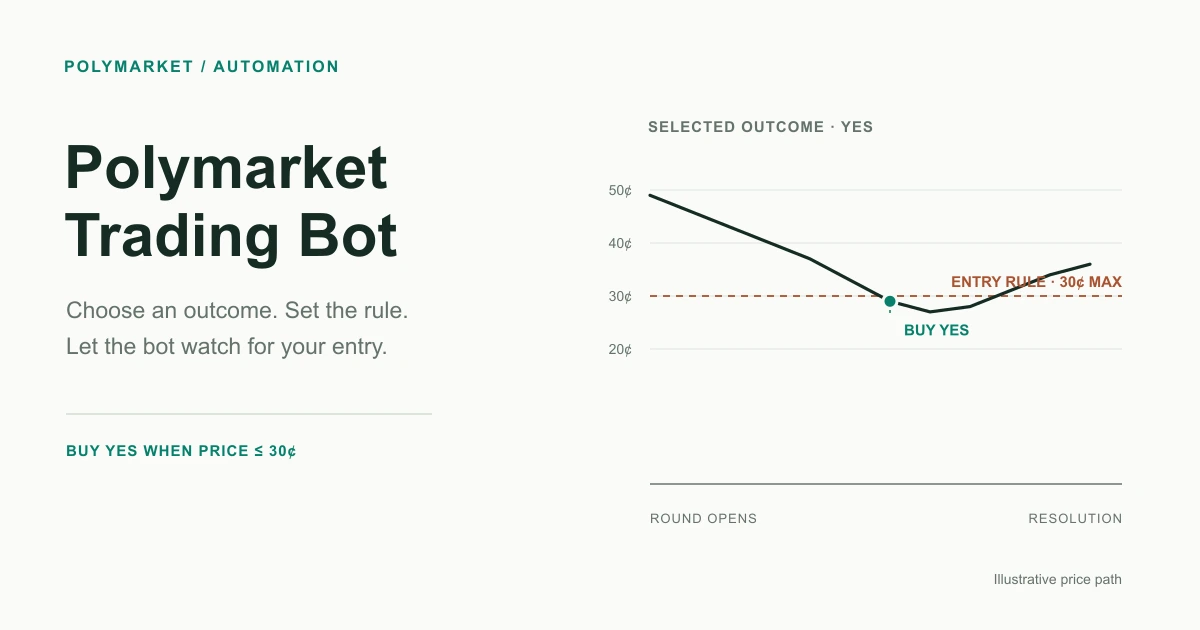
“Buy YES when the price falls below 30¢” is only the market-price part. Add the outside signal, an exit, a size, and a rule for whether another entry is allowed before you run it.
2. Select the exact market and review the rules
Polymarket events can contain several separate markets, and each market can have multiple outcomes. Select the exact question and outcome you want. Hetty can help find the matching market and turn your instructions into Signal DSL: the explicit data sources, conditions, and orders the strategy will use.
Check the selected market and outcome, each data source, the entry and exit conditions, and the order size against your original idea. The DSL examples below show what that review looks like.
3. Try Paper, then choose whether to run Live
Paper mode evaluates the strategy on incoming market data without submitting real trades. It gives you a way to see whether the selected market, trigger, size, and exit behave as expected.
Once the rules make sense for your situation, you can choose Live mode with a supported connected Polymarket account. Your trading funds remain in your Polymarket account; there is no separate deposit to HeyTraders. Account setup and eligibility are described in the Polymarket connection guide.
Build a Polymarket strategy with Hetty ↗
Example 1: trade the exact temperature bucket
Daily high-temperature markets are not usually “25°C or higher?” questions. They are ladders of mutually exclusive outcomes such as 24°C, 25°C, 26°C, and so on. Each market’s rules also name the station and source that determine the result. For example, a New York daily-high market lists exact Fahrenheit buckets and resolves against NOAA observations at LaGuardia.
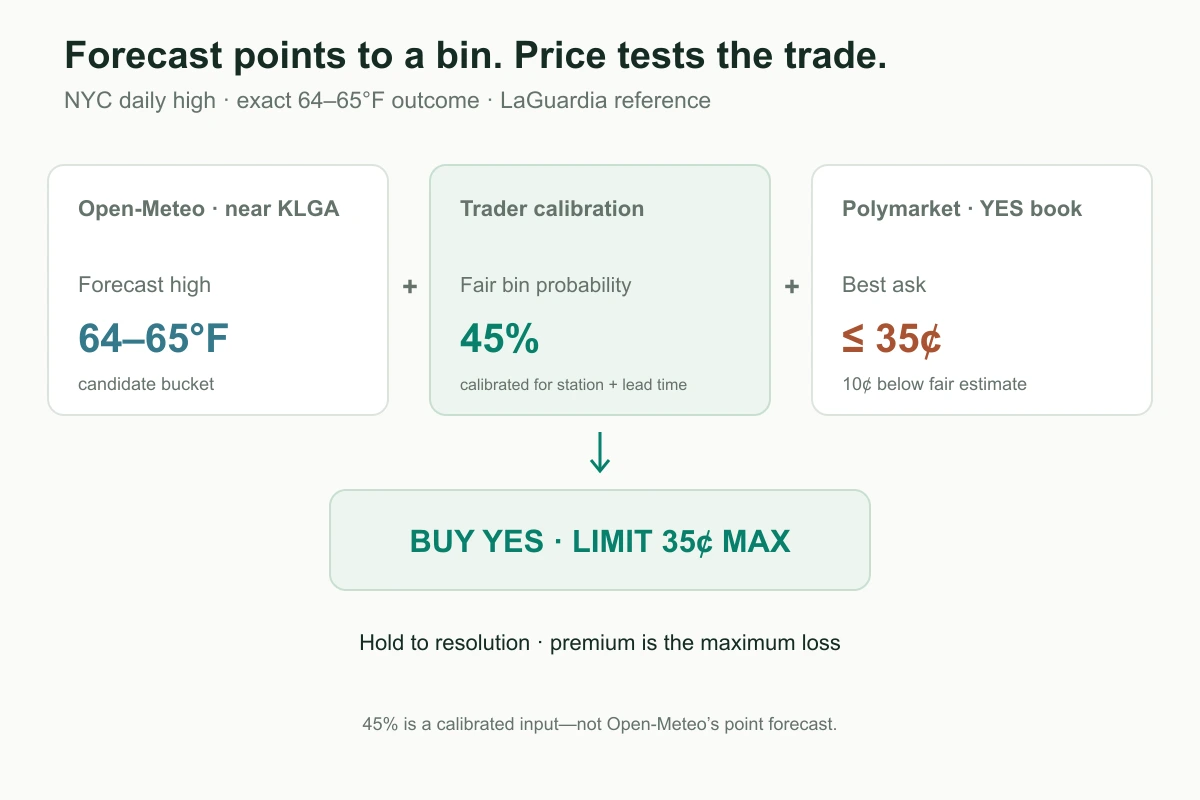
So an Open-Meteo forecast of 65°F is not a 100% YES signal. It points to a candidate bucket. The trade only makes sense if your calibrated estimate for that exact bucket is higher than the price you can pay. Open-Meteo provides the point forecast; the fair probability below is a trader-supplied estimate calibrated for the same station and forecast lead time.
You could ask Hetty:
In Paper mode, use only the selected New York daily-high contract for 64–65°F and keep this date fixed. Read the Open-Meteo forecast near the LaGuardia station. My calibrated probability for this exact bucket is 45%. Buy YES only when the forecast high is in the 64–65°F bucket and the YES best ask is 35¢ or lower—10 points below my fair estimate. Cap the premium at 0.5% of Polymarket account equity; the full premium is at risk. Keep one position and one pending entry order, then hold to resolution. Show me the station, exact outcome, entry rule, and maximum loss before starting.
The forecast selects the bucket to watch; the calibrated fair probability versus executable ask determines whether the entry is attractive. In this example, a 45% fair estimate and a 35¢ ask cap leave a 10-point margin before fees. The 45% is the trader’s input, not an Open-Meteo probability. The premium spent is the maximum loss, so size it from a deliberate risk budget—not an arbitrary order amount. This position is held to resolution; there is no invented take-profit or forecast-triggered exit that assumes a usable bid. Keep the dated contract fixed and recalibrate before trading another day.
Generated Signal DSL
M = 'POLYMARKET:<exact-64-65f-market-slug>'
WX = 'OPENMETEO:40.7769,-73.8740'  # forecast point near LaGuardia

# Trader-supplied estimate for this station, bucket, and forecast lead time.
FAIR_BIN_PROB = 0.45
MIN_EDGE = 0.10
MAX_ENTRY = FAIR_BIN_PROB - MIN_EDGE  # 0.35
RISK_FRACTION = 0.005  # 0.5% account-equity risk budget
equity = portfolio_value('POLYMARKET:<exact-64-65f-market-slug>')
max_premium = equity * RISK_FRACTION if equity is not None else 0.0

@on_market(M, reads=[M, WX], trades=[M])
def laguardia_temperature_bin():
    weather = get_data(WX)
    book = get_data(M).book
    high = weather.daily[0].temperature_max if weather is not None else None
    high_f = high.fahrenheit if high is not None else None
    yes_ask = book.best_ask if book is not None else None

    forecast_in_bin = (
        high_f is not None and high_f >= 64 and high_f < 66
    )
    entry_ready = (
        forecast_in_bin and yes_ask is not None and yes_ask <= MAX_ENTRY
        and max_premium > 0
        and get_open_order('lga_6465_entry') is None
    )
    emit(entry_ready, entry(
        M, 'BUY', Notional(max_premium), outcome='YES',
        execution='LIMIT', limit_price=MAX_ENTRY,
        when=NoPosition(), label='lga_6465_entry'))
Open-Meteo’s point forecast is not itself a probability for an exact temperature bucket. The FAIR_BIN_PROB value must come from your own station- and lead-time-specific forecast calibration; update it for a new date rather than carrying yesterday’s estimate forward.
Example 2: use Binance as a signal for BTC Up/Down
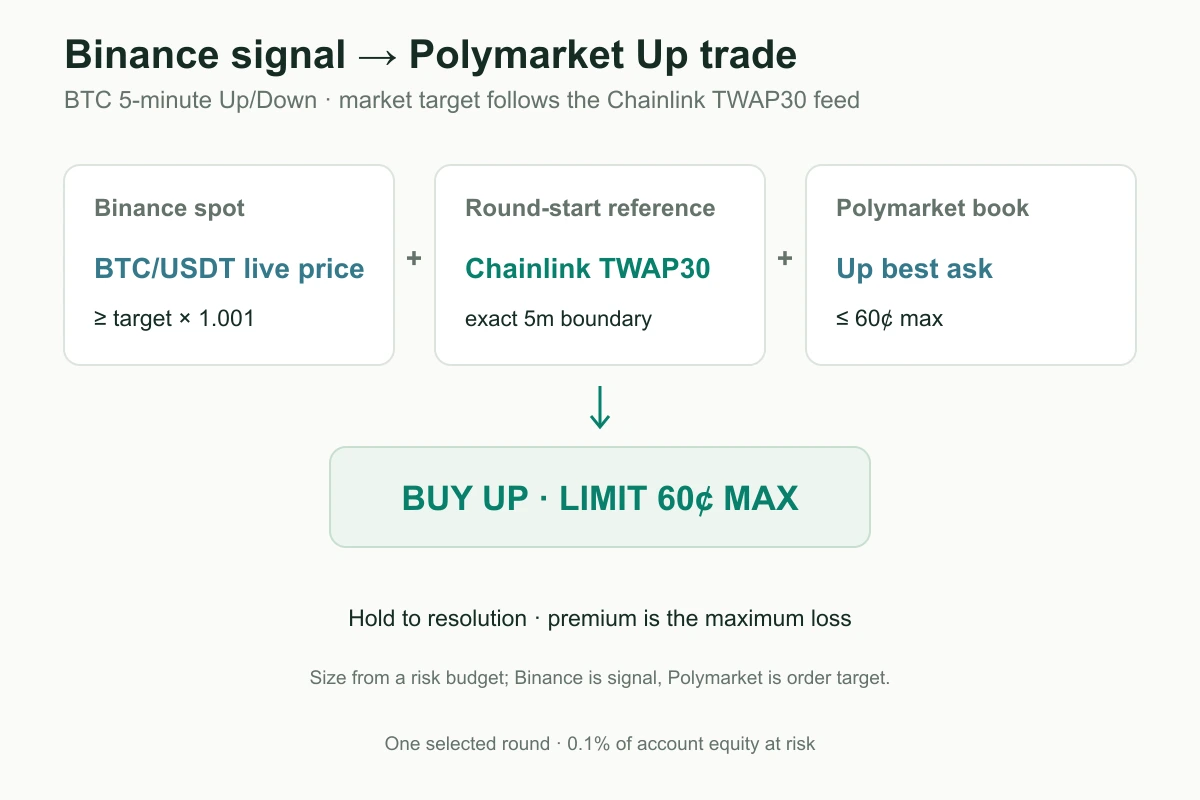
For a short-horizon BTC Up/Down market, Binance can provide the live price signal while the strategy places orders on Polymarket. Since the 5-minute market resolves against its Chainlink TWAP reference, the example also reads that round’s TWAP30 price-to-beat. Binance is the signal—not the order venue or settlement source.
For example:
In Paper mode, use only this selected BTC 5-minute Up/Down contract; do not roll into the next round. Use Binance BTC/USDT as the live signal and the round-start Chainlink TWAP30 price as the target. Buy Up when Binance is at least 0.10% above that target and the Up best ask is 60¢ or less; never pay above 60¢. Cap the premium at 0.1% of Polymarket account equity and hold to resolution. Keep one position and one pending entry order. Show me the market, data sources, and maximum loss before starting.
The Binance price informs the decision; the Polymarket Up share is the only order target. The starting reference is the exact Chainlink TWAP30 value for this round, not the Binance opening price. This example keeps one selected round fixed; rollover means taking the same capped risk again in a new contract.
Generated Signal DSL
M = 'POLYMARKET:<btc-5m-market-slug>'
BTC = 'BINANCE:BTC/USDT'
TARGET = 'CHAINLINK:BTC/USD:TWAP30'
RISK_FRACTION = 0.001  # 0.1% of Polymarket equity for one 5m contract

@on_market(M, BTC, reads=[M, BTC, TARGET], trades=[M])
def btc_updown():
    btc = get_data(BTC)
    feed = get_data(TARGET)
    book = get_data(M).book  # Up book for an Up/Down market
    now_ms = int(time[-1])
    round_start_ms = (now_ms // 300_000) * 300_000
    target = feed.price_at(round_start_ms) if feed is not None else None
    btc_price = btc.price if btc is not None else None
    up_ask = book.best_ask if book is not None else None
    equity = portfolio_value('POLYMARKET:<btc-5m-market-slug>')
    max_premium = equity * RISK_FRACTION if equity is not None else 0.0

    target_is_fresh = (
        target is not None and feed.timestamp is not None
        and 0 <= now_ms - feed.timestamp <= 10_000
    )

    if target_is_fresh and btc_price is not None and up_ask is not None and max_premium > 0:
        enter = (
            (btc_price >= target * 1.001) & (up_ask <= 0.60)
            & (get_open_order('btc_up_entry') is None)
        )
        emit(enter, entry(M, 'BUY', Notional(max_premium), outcome='Up',
                          execution='LIMIT', limit_price=0.60,
                          when=NoPosition(), label='btc_up_entry'))
What data can a Polymarket bot use?
Polymarket strategies can combine the selected outcome’s price and order book with outside read-only inputs. For a temperature market, first match the exact outcome bucket and resolution station; Open-Meteo gives a location-based forecast, not the probability of that bucket. For BTC Up/Down, Binance BTC/USDT can be the trading signal while Chainlink TWAP30 supplies the round-start reference. In both cases, the Polymarket outcome is the order target. Strategies can also read candles built from live trades and run on tick or a supported candle interval.
In the DSL, reads lists data sources a strategy can inspect, while trades lists the markets it can send orders to. In the weather example, the Open-Meteo key is read-only; only the selected Polymarket market is traded.
Paper and Live: what is the difference?
Paper mode runs your rules on incoming market data without submitting real trades. Live mode sends strategy orders through your connected Polymarket account. Before enabling Live, confirm the exact market, outcome, order size, and positions the strategy may manage.
A strategy bot or an automated order?
Use a Polymarket strategy when you want a set of conditions to monitor a selected market and make repeat decisions about entries and exits.
If you already have a position and only want a stop loss, take profit, trailing stop, or another supported trigger attached to an order, use Polymarket algo orders. That is a separate workflow in the trading terminal.
Developers who want to build their own data and execution integration can use Polymarket’s REST APIs and WebSocket streams. You do not need to build that integration to create a supported strategy in HeyTraders.
Polymarket trading bot FAQ
Can I create a Polymarket trading bot without coding?
Yes. Describe the market, outcome, entry, exit, size, and repetition rule to Hetty. Review the generated strategy before running it in Paper or Live mode.
Can a Polymarket bot trade weather and crypto Up/Down markets?
You can select eligible Polymarket weather and crypto Up/Down markets. Supported recurring daily-temperature and crypto Up/Down series can advance to their next round automatically. Other selected markets remain fixed.
Does the bot choose markets and predict the outcome for me?
Hetty can help search for a market and turn your idea into explicit rules. You choose or confirm the market and trading logic; the strategy follows those rules.
Build a Polymarket bot around your own rules
Choose one market you understand. Tell Hetty the condition you would act on, the size you would use, and what should close the position. Review the generated strategy, observe it in Paper, then decide whether Live mode fits your account and risk limits.
One last thing
Was this story helpful?
Your perspective helps us improve our guides.
No sign-in needed. An anonymous session remembers your response on this browser. Privacy