AI Trading Bot Platforms: How to Choose Trading Software
A bot that can place an order is only part of the decision. Follow one strategy from idea to monitored live execution before choosing an automated trading platform.

In this story
Choosing an AI trading bot is a software decision before it is a trading decision. The bot may help turn an idea into rules, test those rules, or place orders. What matters is whether you can follow the same strategy through the parts of the workflow you need—and understand what changes along the way.
When comparing automated trading software, look beyond a bot library or a polished return chart. Ask how an idea becomes a testable strategy, how historical testing differs from paper trading, who approves real-money execution, and what you can inspect once the strategy is running.
This guide focuses on choosing a platform, not teaching a particular trading strategy. HeyTraders’ approach is to connect strategy creation, backtesting, paper trading, live execution, and monitoring in one workspace, while keeping those actions distinct.
Editorial note: Published by HeyTraders. Competitor references reflect official product descriptions checked on September 7, 2026. They are context for understanding the category, not hands-on reviews, performance rankings, or claims that HeyTraders is the only platform spanning these stages.
AI trading bot, no-code trading platform, or algorithmic trading software?
These terms overlap, but they describe different parts of a product:
- An AI trading bot may use AI to help create a strategy, interpret a request, or produce signals. The label alone does not tell you how orders are authorized or executed.
- A no-code trading platform lets you express rules through language, visual controls, or templates instead of writing the implementation yourself.
- Algorithmic trading software runs defined trading logic. It may include research and testing tools, an execution service, or both.
“No code trading” therefore does not mean “no decisions.” You still choose the market, rule interpretation, position size, and conditions under which real capital can be used. An AI-generated explanation is not evidence that a historical test actually ran, and a backtest is not permission to place live orders.
How the major product approaches overlap
The distinction is more useful than assigning each competitor to a single step:
- Composer and Mobius both describe natural-language strategy creation alongside backtesting and automated execution. AI-assisted authoring is a starting point, not their only advertised function.
- HaasOnline describes HaasScript and visual bot design, plus backtesting, paper trading, and deployment. A script-oriented platform need not require every user to code everything by hand.
- 3Commas describes DCA, Grid, and Signal bots as well as testing tools. Coinrule emphasizes no-code rule construction and includes demo testing. Bot-oriented products can also cover work before deployment.
These examples show why category names are not a feature matrix. Check the exact product, strategy type, account, and subscription you would use. Do not infer that an advertised capability is available for every instrument or execution mode.
Six stages to check in automated trading platforms
A useful platform evaluation follows one strategy, rather than six unrelated demos. At each stage, ask to see the information that the next stage will rely on.
| Stage | What you should be able to inspect | Question to ask |
|---|---|---|
| Idea | The intended market behavior and missing assumptions | What did the software infer from my request? |
| Strategy | Entry, exit, sizing, timing, and repeat-entry rules | Can I tell exactly what will cause an order? |
| Backtest | Historical period, costs, trades, and risk metrics | Which strategy definition and assumptions produced this result? |
| Paper | Simulated capital, incoming data, signals, and fills | Is this the intended strategy operating on new data? |
| Live | Account, market, execution mode, exposure, and approval | What am I authorizing with real money? |
| Monitor | Performance, order history, trades, and runtime activity | Can I explain what happened and stop further execution? |
The practical benefit of a connected workflow is traceability: knowing which rules were tested and which rules are running. It does not mean simulated and live results will match.
Strategy creation: inspect the output, not just the conversation
Natural-language input can make strategy creation more accessible. But a request such as “buy strong momentum and control risk” still leaves important choices open. A usable platform should expose the interpreted conditions and settings before you judge the result.
For a software evaluation, change one rule and check where the change appears. Does the saved strategy reflect it? Can you identify which version a result belongs to? Will starting execution use the strategy you intended, or a different saved configuration?
This is different from asking whether an AI assistant can produce an impressive explanation. For the prompt-to-simulation process itself, see our AI backtesting guide.
Backtesting software: inspect assumptions and individual trades
Good backtesting software helps you examine the path behind the headline result. Compare the available historical range, data source, transaction-cost assumptions, and trade records. For derivatives, funding and leverage assumptions can materially change the interpretation.
A useful test of the interface is whether you can select a losing trade and trace its entry, exit, and size back to the strategy rules. Also check how easily you can test a different period without overwriting the result you were reviewing.
Do not choose a platform because its demonstration strategy has the highest return. Different dates, costs, assets, and leverage make those charts incomparable. Our guides to backtesting a trading strategy and Sharpe ratio, drawdown, and win rate explain how to read the evidence.
Paper trading: check behavior on incoming data
Paper trading gives you a way to observe a strategy without placing real-money orders. Use it to inspect when signals arrive, whether the strategy repeats entries, and how the platform records simulated activity.
Simulation still has boundaries. For example, Alpaca’s paper-trading documentation lists effects such as market impact, latency-related slippage, and queue position that its simulator does not account for. That is an example of why you should read each provider’s simulation assumptions—not a claim that all platforms use the same model.
A successful paper run is evidence about behavior under that simulator. It is not a certificate of profitability or proof that a large live order will fill the same way.
Live execution: make the handoff explicit
Before authorizing an automated trading strategy, review the exact account, market, strategy configuration, and capital exposure. Check whether the platform requests the permissions needed for your workflow and how access can be revoked. Do not paste API secrets or private keys into a chat prompt.
The point at which a research action becomes a real-money action should be unmistakable. Generating a strategy, viewing a backtest, and approving live execution are different decisions—even when they happen in the same application.
Monitoring: look beyond the profit number
An active status and a profit figure are not enough to explain execution. Look for order history, individual trades, and runtime activity. If the strategy did not trade, can you distinguish “no signal” from a rejected order, missing data, or a disconnected account?
Check shutdown behavior too. Stopping new strategy decisions, cancelling outstanding orders, and closing an existing position are separate actions. Find out which actions the platform performs and what confirmation you receive. Do not assume a stopped bot means that every position has been closed.
How the workflow connects in HeyTraders
HeyTraders brings the research and execution workflow into the trading workspace. You can describe an investment idea in natural language, turn it into a strategy, run a historical test, and decide separately whether to use paper or live trading on supported venues.
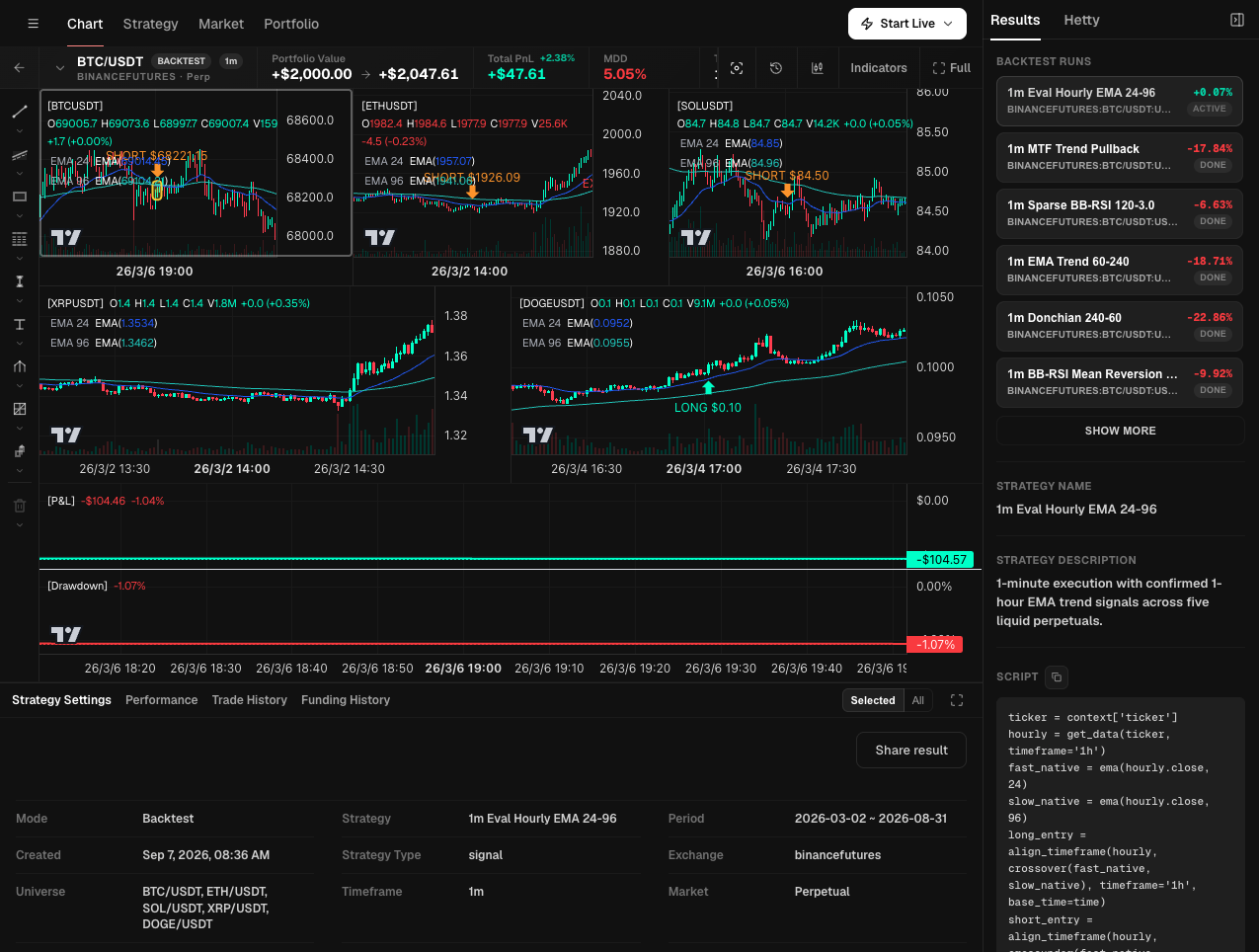
For a practical software evaluation, follow one run across Strategy Settings, Performance and Trade History, then locate the separate execution menu. The screen shows where those tasks connect; it does not demonstrate paper fills or a running live strategy.
Here is what that connection means in practice:
Start with the idea and review the test. Describe the behavior you want to investigate and review the resulting strategy and backtest. The goal is to establish what was tested, not to treat an AI-generated strategy as a recommendation or a proven edge.
Choose Paper Trading or Live Trading from the backtest workspace. For eligible strategies, the Start Live menu offers those modes separately. The selected strategy is carried into the execution workflow; you do not have to treat research and deployment as unrelated bot configurations.
Confirm real-money execution. Live trading uses a connected account and an explicit confirmation step. The confirmation shows the strategy, execution mode, exchange, exposure information, and any supplied warnings. Running a backtest alone does not authorize live trading.
Inspect the running strategy in its workspace. Settings, performance, trade history, order history, and runtime logs are available as distinct views. That gives you places to investigate both the result and the activity behind it, instead of relying on a single cumulative return figure.
On supported round-the-clock crypto markets, live strategies can operate 24/7. Actual operation still depends on the market, data, service, and connected account being available. Venue support and plan entitlements also apply; a market being visible on a chart does not by itself establish live-strategy support.
Polymarket supports custom strategies in Paper and Live modes, alongside separate algo-order tools. Use Hetty to describe a rule, review the generated Signal DSL, and choose how to run it. Historical Polymarket backtesting is not currently supported, so the historical-test example above is not a Polymarket result. The Polymarket trading bot guide explains its supported automation workflows.
A practical checklist before choosing your software
Use a strategy you already understand as the common example. Ask each platform to show the same sequence: inspect the definition, review a historical result, understand paper execution, locate the live authorization step, and find the monitoring and shutdown controls. You can evaluate those screens and documentation without authorizing a real trade.
Record the answers as verified, unclear, or unsupported. Include these practical constraints:
- Your exact market: the asset, venue, account type, and intended strategy mode—not just a logo in an integration list.
- Your way of building: plain English, visual rules, a script, or a configured bot template.
- Your execution schedule: when the rules evaluate, when orders can be sent, and what happens outside trading hours.
- Your total cost: subscription, data, venue fees, spreads, and relevant funding costs. Compare the same usage rather than headline plan prices.
- Your ability to intervene: access revocation, strategy shutdown, outstanding orders, and remaining positions.
The best fit is the platform whose behavior you can inspect and whose constraints match your intended use. More automation is not automatically better, and no provider’s feature list demonstrates future trading returns. Investor.gov’s AI fraud alert warns against claims that AI can guarantee exceptional investment results.
Frequently Asked Questions
What should I look for in an AI trading bot platform?
Look for inspectable strategy rules, realistic backtesting, a clearly labeled paper-trading mode, explicit live-trading approval, and useful execution records. Confirm support for your exact market and account. The right platform fits the strategy you want to operate, not just the indicators you want to add.
Can I use automated trading software without coding?
Yes. No-code trading platforms may use natural-language instructions, visual rules, or configurable bot templates. You still need to review the resulting logic, connect an eligible account for real trading, understand permissions, and monitor execution. No-code does not mean no setup or no responsibility.
What is the difference between backtesting and paper trading?
Backtesting applies a strategy to historical data. Paper trading processes incoming market data with simulated funds and fills. They answer different questions, and neither guarantees live results. Real trading adds actual liquidity, costs, account constraints, and execution risk.
Can an automated trading bot run 24/7?
It can operate around the clock on supported markets with continuous trading, subject to its hosting, data, venue, and account availability. A 24/7 service does not make every market continuously tradable or guarantee uninterrupted operation. You still need monitoring and a clear way to stop the strategy.
Does a HeyTraders backtest automatically start live trading?
No. A backtest is a historical test. HeyTraders provides separate Paper Trading and Live Trading actions for eligible strategies, and real-money execution requires a connected account and explicit confirmation. Custom Polymarket strategies support Paper and Live, while historical Polymarket backtesting is not currently supported.
One last thing
Was this story helpful?
Your perspective helps us improve our guides.
No sign-in needed. An anonymous session remembers your response on this browser. Privacy
A little more perspective.
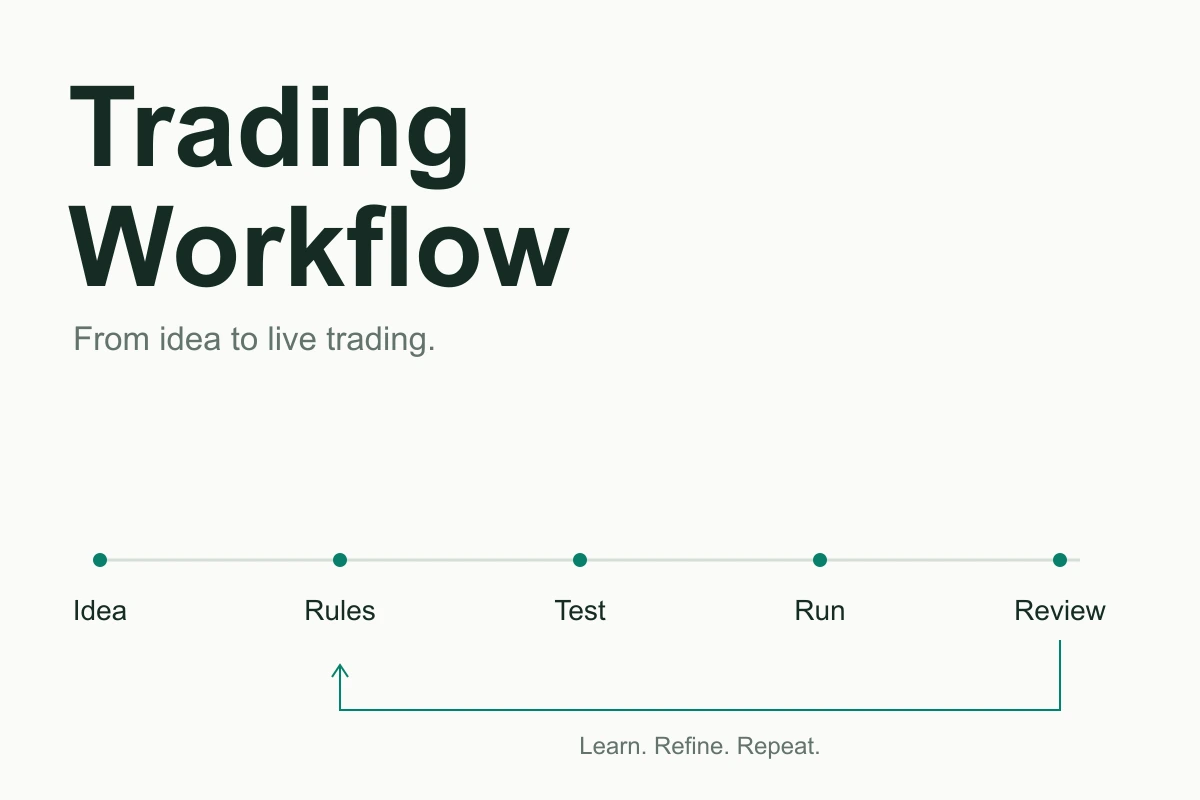
Crypto Trading Workflow: From Idea to Live Trading
Follow one trading idea from a written hypothesis to tested rules, paper observations, live orders, and the next strategy version.
What Is Algorithmic Trading? A Beginner's Guide to Algo Trading
Algorithmic trading uses pre-defined rules to place and manage orders automatically. Here's how algo trading works, its pros and cons, and how to start without code.
Grid Trading Strategy: How Grid Bots Work and When to Use Them
A plain-English guide to grid trading: laddered buy and sell orders across a price range, why grids thrive in ranging markets, their trend risks, and how bots automate the process.